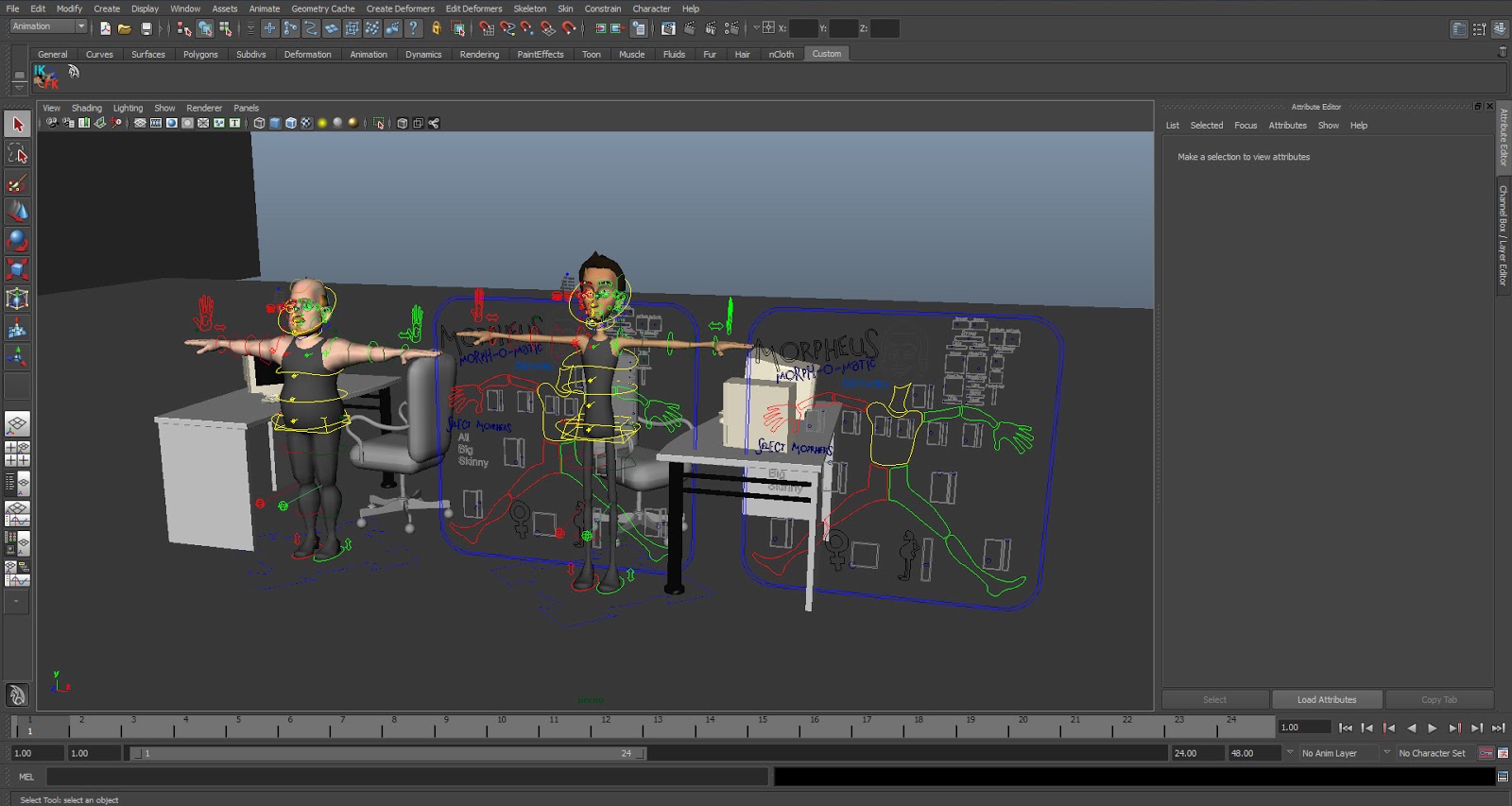
Part of my feedback for my double acted performance piece was to set up new cameras and stage the scene differently so that the character with no dialogue wouldn't be shown onscreen for as long. This makes it easier for me as I can then focus on the other character who talks for the duration of the clip, and I don't have to try and make the other character interesting.
Showing posts with label Double Acted. Show all posts
Sunday, 12 May 2013
Saturday, 4 May 2013
Double Acted: Blockout
As well as the game animations I also handed in the blockout of my double acted piece for the first submittal. I haven't got as far with this piece of animation as the game animations need to be finished first to be implemented in the game. I think I still need to make some changes on some of the poses in this piece, but I've received some useful feedback from my tutors so I'll be improving this over the coming week.
Saturday, 20 April 2013
Double Acted: Setting the scene
For my double acted piece I chose to use the Morphy rig created by Josh Burton as it's a very flexible rig and I've used it in the past so I'm familiar with the controls. After tweaking the two rigs to my liking in separate files, I referenced them into my scene file which I've populated with prop models from sites such as Turbosquid and Creative Crash.
I wanted to keep the chairs as separate objects, so that I can animate a little bit of bounce in the seat separate from the base when a character sits in or gets out of a chair. To do this I simply set up a parent constraint so that I can still control the chair as a whole when moving or rotating it in the scene, but which I can turn off when need be.
When I came to animated my blockout of the scene I came across a problem, my audio clip wouldn't play in Maya, despite the fact that it was a wav and appeared to have the right settings. I found a replacement online to use instead, this too was a wav, but for some reason this one played fine in Maya.
I wanted to keep the chairs as separate objects, so that I can animate a little bit of bounce in the seat separate from the base when a character sits in or gets out of a chair. To do this I simply set up a parent constraint so that I can still control the chair as a whole when moving or rotating it in the scene, but which I can turn off when need be.
When I came to animated my blockout of the scene I came across a problem, my audio clip wouldn't play in Maya, despite the fact that it was a wav and appeared to have the right settings. I found a replacement online to use instead, this too was a wav, but for some reason this one played fine in Maya.
Subscribe to:
Posts (Atom)